RegoXchange
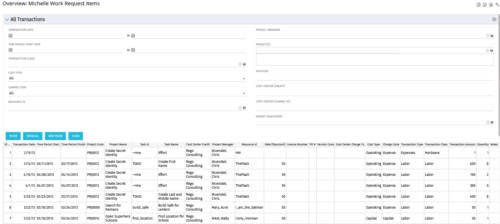
  • The All Transactions portlets have the capability to display any transaction within the system. Transactions from any type of investment can be viewed on this page. There are two version of this process:
    • All Transactions (with security) – this will display rows only where the logged in resource has access to cost plans for projects or ideas. The portlet will check instance, OBS and global rights.
    • All Transactions (without security) – will display all rows, regardless of cost plan access rights.
    By default, there are numerous filter options displayed, such as transaction dates, transaction class and cost type. The table below describes the available columns in the portlet.
    Column Label Description
    ID An unique identifier for each row displayed in the portlet.
    Transaction Date The data the transaction has been coded to.
    Time Period Start For transactions arising from timesheet entries, this will show the start period of the timesheet.
    Time Period Finish For transactions arising from timesheet entries, this will show the finish period of the timesheet.
    Project Code The ID of the investment.
    Project Name The name of the investment.
    Task ID The ID of the investment task where the actual cost has been assigned.
    Task Name The name of the investment task where the actual cost has been assigned.
    Cost Center Credit The department assigned to the resource where a cost needs to be credited.
    Project Manager The resource managing the investment.
    Resource ID The ID for the resource that has been assigned the cost.
    Rate (Standard) The rate for the cost.
    Invoice Number The invoice number. May come from a manual transaction or may be imported from a financial system integration.
    PO # The purchase order number. May come from a manual transaction or may be imported from a financial system integration.
    Vendor Code The vendor code that has been listed against the transaction.
    Cost Centre Charge To The department assigned to the resource where a cost needs to be charged.
    Cost Type Indicates whether the transaction is capital or operating.
    Charge Code The charge code assigned to the transaction as per the Clarity Charge Code list.
    Transaction Type Labour, Expense, Equipment or Material.
    Transaction Class The transaction class assigned to the transaction as per the Clarity transaction class list.
    Transaction Amount Rate x Quantity.
    Quantity The number of units.
    Notes Free text field for the transaction.
  • This training document is a Rego Consulting Quick Reference Guide to assist with General Navigation in Clarity’s Modern User Experience.  This doc references version 16.2.1 views.  Doc reviews the Menu Bar and User Tool Bar.
  • Hershey shares their path to Power BI reporting. They discuss Power BI ways of working, Defining Executive Level Metrics, Design & Development, and Next Level Reporting.
  • This training document is a Rego Consulting Quick Reference Guide to assist with Project creations in Clarity’s Modern User Experience.  This doc references version 16.3 views. Doc covers create project from project page, create project via the New from Template button, selection of template and project creation from the project tile view.
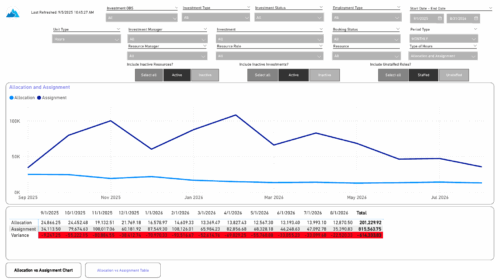
  • The Investment Allocations and Assignments report provides visibility into team member allocation, task assignment, and variance amounts by investment across time periods. A chart highlights allocation compared to assignment amounts by period. Results can be displayed by week, month, or in total, and viewed in either hours or FTEs for each team member and investment. Interactive visuals make it easy to compare planned effort against actual assignments at the team member and investment level. Content Type: Business Intelligence, PowerBI Report
  • Bringing back a classic topic with a modern update! Join this session to discuss tips and tricks for an optimized project manager experience in Clarity. This session is designed so attendees can share, collaborate, and benefit from their diverse experiences.
  • A presentation slide deck from Rego University 2022.   This document reviews the options for managing schedules outside of the Clarity tool.
    • Introduction to scheduling
    • Why use an external scheduler?
    • Who uses what?
    • Scheduler-Specific Decision Factors
    • Discussion: Scheduler Challenges
    • Tips to help user adoption
    • Is it time to just use Clarity?
    • Microsoft Project OOTB or The Rego Connector?
  • This training document is a Rego Consulting Quick Reference Guide to assist with General Navigation in Clarity’s Modern User Experience.  This doc references version 16.1.2 views.  Doc reviews the Menu Bar and User Tool Bar.
  • This training document is a Rego Consulting Quick Reference Guide to assist with the management of project tasks from within the Tasks tab in Clarity’s Modern User Experience.  This doc references version 16.1.2 views. Document covers Task Tab, Timeline View, Board View, Grid View, adding and removing columns, saving views, task details, To Dos, Assignments, Links, Conversations and View Options settings.
  • This training document is a Rego Consulting Quick Reference Guide to assist with the use of the Links and Conversations functionality in Clarity’s Modern User Experience.  This doc references version 16.3 views.
  • This training document is a Rego Consulting Quick Reference Guide to assist with population of project properties in Clarity’s Modern User Experience.  This doc references version 16.3 views. Doc covers Project Tiles View, Project Properties – Details page and updating from the Project List view.
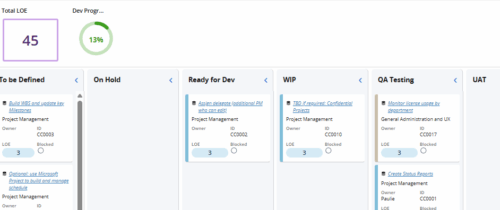
  • Leverage a Kanban or Sprint approach to manage Clarity Implementation and ongoing improvements.  List also serves as a history of configuration changes, reasons, and deployment dates.
Go to Top