RegoXchange
  • Part of the Business Transformation collection, this pie chart portlet displays realized benefit, grouped by type of project, for portfolio investments. It uses System Provider: Portfolio Investment Provider.
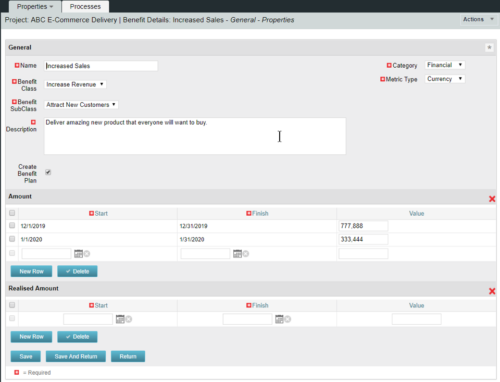
  • This training document is a Rego Consulting Quick Reference Guide to assist with the creation of Benefit Plans in Clarity’s Modern User Experience.  This doc references version 16.0.2 views. Doc provides detail on how to create a Benefit Plan, how to categorize Benefit Class and Benefit Subclass, how to add financial values to your Benefit Plan, and how to add the Benefit Plan to your Cost Plan.
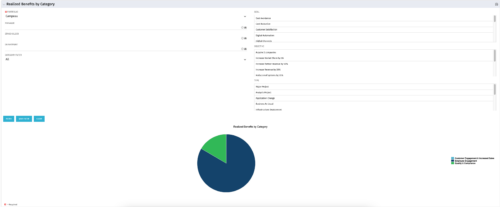
  • This is a pie chart portlet to show realized benefits across the system by category, including a category for no category or unspecified.   Pie chart shows categories of realized benefits in its slices. Available filters:
    • Portfolio (required)
    • Manager
    • Stakeholder
    • Department
    • Category Filter (default to all)
    • Goal
    • Objective
    • Type
  • This is a pie chart portlet to show realized benefits across the system by category, including a category for no category or unspecified.   Pie chart shows categories of realized benefits in its slices. Available filters:
    • Portfolio (required)
    • Manager
    • Stakeholder
    • Department
    • Category Filter (default to all)
    • Goal
    • Objective
    • Type
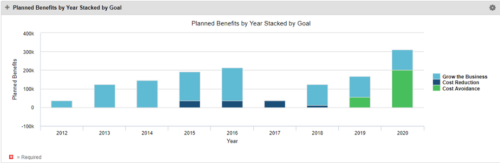
  • This Portlet starts by pulling Active Investments from a Classic UI Portfolio.  It then looks for the Cost Plan of Record and its’ linked Benefit Plan.  It then aggregates the Planned Benefit and groups it by Goal, then presents a stacked bar chart.
  • This Portlet starts by pulling Active Investments from a Classic UI Portfolio.  It then looks for the Cost Plan of Record and its’ linked Benefit Plan.  It then aggregates the Planned Benefit and groups it by Goal, then presents a stacked bar chart.
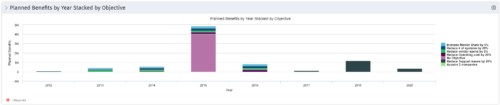
  • This Portlet starts by pulling Active Investments from a Classic UI Portfolio.  It then looks for the Cost Plan of Record and its’ linked Benefit Plan.  It then aggregates the Planned Benefit and groups it by Objective, then presents a stacked bar chart.
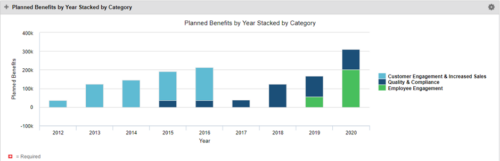
  • This Portlet starts by pulling Active Investments from a Classic UI Portfolio.  It then looks for the Cost Plan of Record and its’ linked Benefit Plan.  It then aggregates the Planned Benefit and groups it by Category, then presents a stacked bar chart.
  • Pie Chart that aggregates Realized Benefit (Total Actual Benefit) by OBS for active projects.  Only a Benefit Plan associated with the Cost Plan of Record will return data. The filter allows you to select which OBS filter you prefer to use for this pie chart, however, only an OBS associated with Projects will return data.
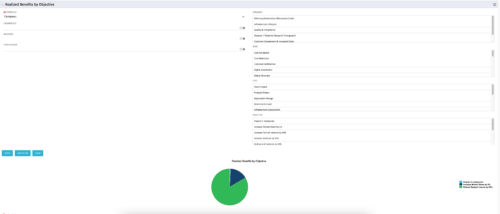
  • This portlet displays a Pie Chart of a Portfolio’s Realized Benefits partitioned into pie slices by the portfolio’s Investments’ Objectives. Clicking on any pie slice (Objective) drills-down into a portlet that lists the Investments that make up that slice.
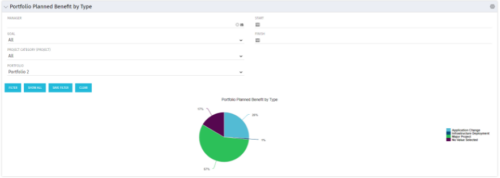
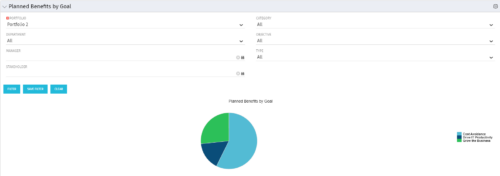
  • Part of the Business Transformation Package, this pie chart portlet shows planned benefits across the system grouped by Goal. The data is displayed form the investments in a portfolio. The portlet lets the Portfolio Manager know on which GOAL the planned benefit is allocated, so as to target the overall investment spread in the portfolio.
  • Part of the Business Transformation Package, this pie chart portlet shows planned benefits across the system grouped by Goal. The data is displayed form the investments in a portfolio. The portlet lets the Portfolio Manager know on which GOAL the planned benefit is allocated, so as to target the overall investment spread in the portfolio.
Go to Top