-
 Many times Roles are spread out geographically or by function and these Roles will have different rates. For example, a developer in India may charge $25/hour vs a Developer in US may charge $50/hour. When the project team has a requirement of several developers, the PM will have to add a region specific role (Developer-US, Developer-India) so that the right rates can be applied when a cost plan is created. This creates a challenge in terms of Resource Management. As the Demand and Capacity can be spread between different region specific roles. Proper configuration on the Rate Matrix can allow you to have one Role name but different rates based on Location or Department. This allows greater flexibility and takes away the redundancy of Role Names. You can do so with the Project Team Member Properties.
 -
 This tech-trick defines how to run a Jaspersoft report using Rest API
 -
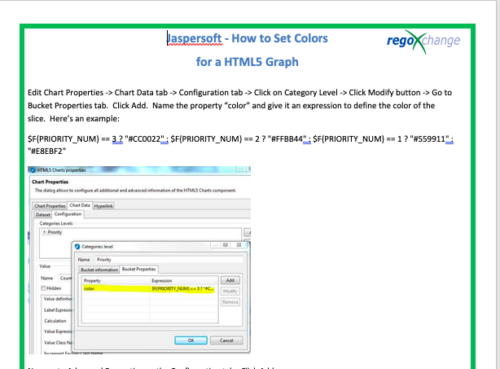 This tech-trick details the steps to set colors for an HTML5 Graph.
 -
 A presentation slide deck from RegoU 2023. This course covered the process of digital transformation via digital product management. Laureen Knudsen, Broadcom’s Chief Transformation Officer’s presentation deck is available for review.
 -
 If your organization is adopting Objectives and Key Results (OKR) framework, this session is for you. Through a role play exercise you will learn how to spot and write some really solid OKRs.
 -
 A presentation slide deck from Rego University 2022. Broadcom’s presentation on VSM and how the use of ValueOps drives innovation.
- The Challenge of Digital Transformation
- Why Value Stream Management?
- How ValueOps Drives Innovation & Digital Transformation
-
 Course Description: Have you ever wanted to build portlets that were not limited by Clarity PPM's out-of-the-box portlet types? This class will explore some of the options you can use to build helpful portlets with HTML, including calendars, Kanban boards, tile-based project lists, and some special Star Wars-themed communication portlets.
 -
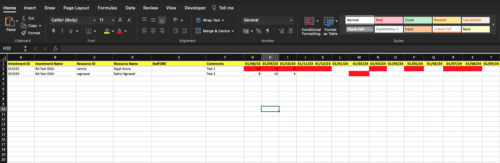
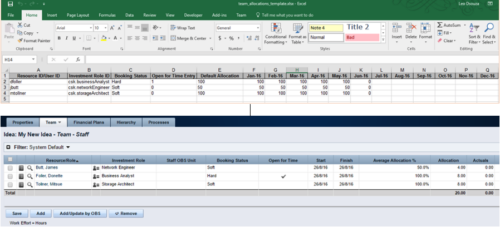 The idea allocation uploader allows you to import in allocations from an external Excel spreadsheet. Populate an Excel template with required fields then import them directly from the Clarity UI. Once imported you’ll see the allocations right on the Team tab of the Idea.
 -
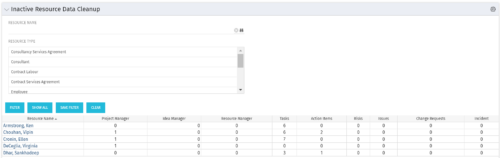 The Inactive Resource Data Cleanup portlet displays information for inactive resources that still have pending items on active objects:
- Inactive User is the Project Manager
- Inactive User is the Idea Manager
- Inactive User is the Resource Manager
- Tasks assigned to the user
- Action items assigned to the user
- Risks assigned to the user
- Issues assigned to the user
- Change requests assigned to the user
- Incidents assigned to the user
-
The Inactive Resource Data Cleanup portlet displays information for inactive resources that still have pending items on active objects:
- Inactive User is the Project Manager
- Inactive User is the Idea Manager
- Inactive User is the Resource Manager
- Tasks assigned to the user
- Action items assigned to the user
- Risks assigned to the user
- Issues assigned to the user
- Change requests assigned to the user
- Incidents assigned to the user
-
The Inactive Resource Data Cleanup portlet displays information for inactive resources that still have pending items on active objects:
- Inactive User is the Project Manager
- Inactive User is the Idea Manager
- Inactive User is the Resource Manager
- Tasks assigned to the user
- Action items assigned to the user
- Risks assigned to the user
- Issues assigned to the user
- Change requests assigned to the user
- Incidents assigned to the user
-
 Do you want to talk to other customers that are using or plan to use demand management? In this moderated Round Table where customers can share experiences and provide insights on process, configurations, challenges, and successes. We will have an expert panel and then divide into small groups and discuss customer selected topics - 100% sharing.


Copyright 2023 • Rego Consulting Corporation • Privacy Policy