-
 Hear from existing Clarity customers as they share what's working well in their implementations. Gain insights from these real-world success stories. This deck is from Day 1 of the Client Presentations.
 -
 Hear from existing Clarity customers as they share what's working well in their implementations. Gain insights from these real-world success stories. This deck is from Day 2 of the presentations.
 -
 A presentation slide deck from RegoU 2023. This course covered existing Clarity customers sharing what they do well in their implementation of Clarity. Customers were Tyson, HCSC, and Erie Insurance.
 -
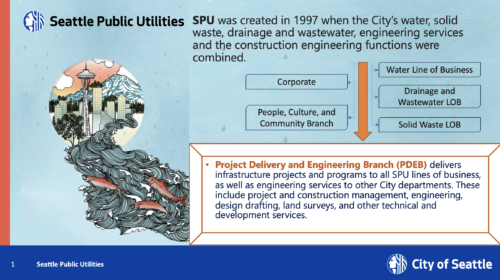
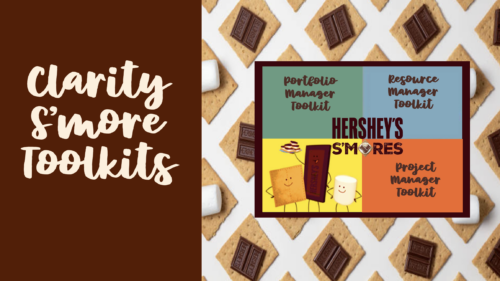 A presentation slide deck from RegoU 2023. This course covered existing Clarity customers sharing what they do well in their implementation of Clarity. Customers were Tyson, HCSC, and Erie Insurance.
 -
 Tired of repeating the same code in your GEL scripts? Prefer not to write thirty lines just to call a REST web service? Learn tips and tricks for reusing code—like using <include> tags and Rego’s Jam Tags solution to simplify and streamline your scripts. In this session, you'll learn the functionality and advantages to using Jam Tags within your GEL scripts to accomplish tasks that were tedious, error prone, and in some cases impossible within GEL.
 -
 A presentation slide deck from Rego University 2022. Document used for Broadcom’s presentation on Collaborative Work Management.
- Real Life Stories – Why this is so important
- Overview and Latest Enhancements
- Demonstration and Use Cases
-
 Are you looking to extend your investment in Clarity and share it with other stakeholders in your company? We know organizations today are looking for cool collaborative ways to work. Come check out what Clarity has to offer.
 -
 This training document is a Rego Consulting Quick Reference Guide to assist with use of the Common Grid. You can find the grid throughout the application to manage projects, tasks, roadmaps, ideas, and timesheets to name a few. The QRG reviews View Options, Column Adjustments, the Details Panel and more.
 -
 The Communications Portlet - Simple portlet provides a simple mechanism to communicate with Clarity users. The content of the porlet can be edited easily through the Portlet administration screens within Clarity. This is a very beneficial method of delivering messages to your Clarity users all at the same time.
 -
The Communications Portlet - Simple portlet provides a simple mechanism to communicate with Clarity users. The content of the porlet can be edited easily through the Portlet administration screens within Clarity. This is a very beneficial method of delivering messages to your Clarity users all at the same time.
-
 In this session we will explore complex cloud use cases you can manage within ApptioOne, including accruals, forecasting, multi-cloud chargeback, RI waste analysis, and reallocations. Additionally, we will discuss Cloud Business Management reporting and its role in driving accountability, optimizing cloud spend, and creating custom reports for various roles. Join us to learn how ApptioOne can empower you to navigate today's multi-cloud environments and enhance your cloud management strategy.
 -
 The concepts of creativity are tools and habits that help you and your team become more creative. During this session, you will learn simple tricks and methods to encourage a more creative work environment. Join this session to learn how to structure effective team meetings, workshops and all-inclusive ideation sessions. Even learn about some great work habits to boost your career!
 -
 The concepts of creativity are tools and habits that help you and your team become more creative. During this session, you will learn simple tricks and methods to encourage a more creative work environment. Join this session to learn how to structure effective team meetings, workshops and all-inclusive ideation sessions. Even learn about some great work habits to boost your career!
 -
 Course Description: If I build a process in the Classic UI, does it still get triggered in the Modern UX? If I add a new attribute in the Classic UI, how will it be exposed in the Modern UX? This class will focus on the setup of Clarity PPM's Modern UX. It will include topics like turning on the Modern UX, setting up links, using blueprints, and configuring tiles and objects. We will explain how the Modern UX and the Classic UI interact when it comes to administration.
 -
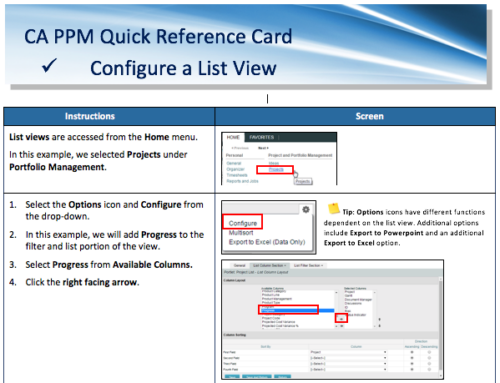 A Quick Reference Card for configuring List Views in CA PPM. List views are accessed from the Home menu.
 -
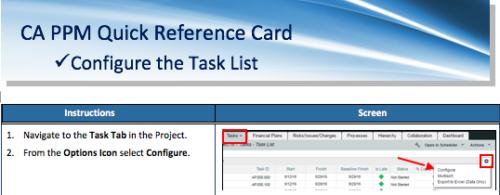 A Quick Reference Card to assist as you configure the Task List under the Task Tab on the project. You have the option to remove or add fields to the Task List.
 -
 It is quite common for Rally and Jira to coexist. However, connecting them effectively enhances the value stream for development teams and product owners. Learn what is available to make this happen along with some typical design patterns.
 -
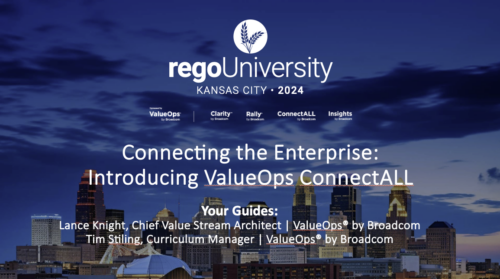 Broadcom's ValueOps solution now incorporates automation and analytics technology, providing the ability to align your digital initiatives to business outcomes and significantly improve the speed at which teams deliver business outcomes.
 -
 Course Description: Are you tracking your vendor contracts outside of Clarity PPM? Have you considered moving the data into Clarity PPM? This session will review a set of use cases where Clarity PPM is being used to manage vendor contracts and how they are linked to resources, projects, and time to drive efficiencies in monitoring contracts and comparing actuals to invoices.
 -
 A Quick Reference Guide to assist in the process of converting a Idea into an Investment in Clarity. Includes information on adding financial and resource data into the new investment.
 -
 This training document is a Rego Consulting Quick Reference Guide to assist with the process of converting an idea to a project in Clarity’s Modern User Experience.
 -
 Broadcom recently introduced “Cooking with Clarity” a step-by-step guide to deploying and configuring Clarity. This session focuses on how to integrate Clarity and Rally.
 -
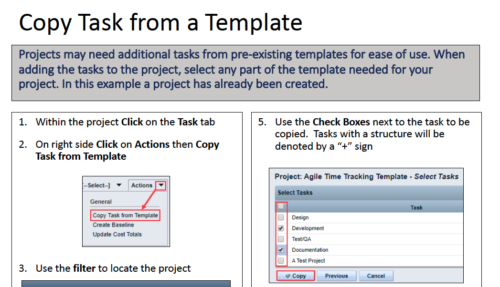 Projects may need additional tasks from pre-existing templates for ease of use. When adding the tasks to the project, select any part of the template needed for your project. In this Quick Reference Guide, a project has already been created.
 -
 This training document is a Rego Consulting Quick Reference Guide to assist with the creation of Cost Plans in Clarity’s Modern User Experience. The document reviews navigation to the Financial Module, the Cost Plan sub-page and creating the plan.
 -
 A Quick Reference Guide to assist in creating and editing Project Baselines in Clarity Classic with the Phoenix theme.
 -
 A Quick Reference Guide to assist in creating a Cost Plan in an Idea within Clarity. Shows the process in Clarity’s Classic UX with the Phoenix theme applied.
 -
 This training document is a Rego Consulting Quick Reference Guide to assist with creating a new project in Clarity’s Modern User Experience. The document reviews this both in the Project Page and in the Project Tiles locations.
 -
 A Quick Reference Guide to assist in the creation and editing of tasks using the Project Task List in Clarity. Screen shots are from the Classic UI, using the Phoenix Theme.
 -
 A Quick Reference Guide to assist in the creation of Tasks using the Clarity Gantt. The screen shots utilize the Classic UX with the Phoenix theme.
 -
 This training document is a Rego Consulting Quick Reference Guide to assist with the creation and management of Ideas in Clarity’s Modern User Experience. The document reviews Creating an Idea and Editing of an Idea.
 -
 A Quick Reference Guide to assist in the creation of Benefit Plans in Clarity’s Classic UX. Reviews the process to access and create the benefit plan, entering benefit details lines, and associating a benefit plan to a cost plan.
 -
 A Quick Reference Guide on setting up Custom Investments in Clarity’s Modern UX. Reviews setting up the Custom Investment, and creating Custom Investment Records.
 -
 A quick reference card to assist in the creation of a Financial Summary for an investment.
 -
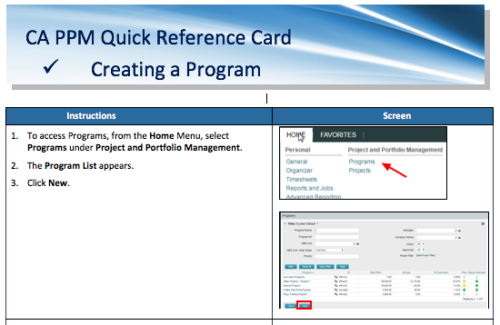 A Quick Reference Card to assist in the creation of a Program.
 -
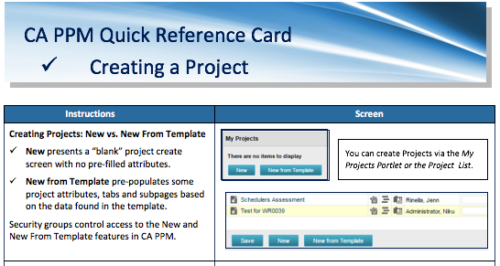 A Quick Reference Card to assist in creating a project in CA PPM. Reviews options of creating from New or New from Template.
 -
 A Quick Reference Guide to assist in the creation of a Project Status Report in Clarity. The document uses screen shots from the Classic UX with the Phoenix theme.


Copyright 2023 • Rego Consulting Corporation • Privacy Policy