-
 A Quick Reference Guide on setting up Custom Investments in Clarity’s Modern UX. Reviews setting up the Custom Investment, and creating Custom Investment Records.
 -
 This training document is a Rego Consulting Quick Reference Guide to assist with creation of agreements in Clarity’s Modern User Experience. Agreements can be created between Project, Ideas and Custom Investments. The Agreement can convey things needed for predecessors and successors while defining appropriate dates to meet the agreement. Blueprints can be leveraged to customize the agreements as required.
 -
 The Clarity Health portlet provides a quick glance into the health of key components and critical jobs in the Clarity environment. The following metrics are monitored: Process Engine Heartbeat should refresh itself every 10 minutes. Process Engine is responsible for the triggering of processes. Green <= 10 Minutes, Yellow 11-15 Minutes, Red > 15 Minutes Time Slices Time Slices are required for accurate reporting. Best practice is for the Time Slicing job to run every minute. Please note there are some jobs that will cause the time slicing to delay so a momentary delay is normal. Green <= 10 Minutes, Yellow 11-15 Minutes, Red > 15 Minutes Datamart Extraction Green <= 24 Hours, Yellow 24-48 hours, Red > 48 hours Datamart Rollup Green <= 24 Hours, Yellow 24-48 hours, Red > 48 hours Rate Matrix - Full Best practice is to run a full rate matrix nightly Green <= 24 Hours, Yellow 24-48 hours, Red > 48 hours Rate Matrix - Incremental Green <= 24 Hours, Yellow 24-48 hours, Red > 48 hours Load Data Warehouse - Full Load Green <= 24 Hours, Yellow 24-48 hours, Red > 48 hours Load Data Warehouse - Incremental Green <= 24 Hours, Yellow 24-48 hours, Red > 48 hours Load Data Warehouse Access Rights Green <= 24 Hours, Yellow 24-48 hours, Red > 48 hours
 -
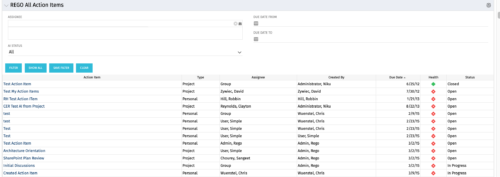 The All Action Items portlet provides detail on all actions items, including the name, type, assignee, status, due date, health indicator and creator of the action item. The portlet can be filtered by project, assignee, AI status, and due date range.
 -
 This training document is a Rego Consulting Quick Reference Guide to assist with creation of Roadmaps and the adding of investments to Roadmaps in Clarity’s Modern User Experience. This doc references version 16.1 views. Document provides detail on the Import from PPM function, Import from CSV as well as manual creation of Roadmap items. Detail is provided on how to create a manual Roadmap item from the Grid View, Timeline View or Board View. Instructions are also provided on how to synchronize a Roadmap.
 -
 A presentation slide deck from Rego University 2022. This document reviews the options for managing schedules outside of the Clarity tool.
- Introduction to scheduling
- Why use an external scheduler?
- Who uses what?
- Scheduler-Specific Decision Factors
- Discussion: Scheduler Challenges
- Tips to help user adoption
- Is it time to just use Clarity?
- Microsoft Project OOTB or The Rego Connector?
-
 Ensure you are keeping tabs on your Clarity environment. Clarity has key components that require monitoring to ensure consistent processing: - identify key modules like processes, jobs, financials, among others - identify customizations and common errors that can be improved - Overall maintenance recommendations for Clarity Studio and MUX
 -
 This training document is a Rego Consulting Quick Reference Guide to assist with the creation of Hierarchies in Clarity’s Modern User Experience. This doc references version 16.2.1 views. Document provides information on how to import investments and how to create child / parent relationships. Detail is provided with regard to the export of Hierarchies to PDF format.
 -
 This training document is a Rego Consulting Quick Reference Guide to assist with Allocations Timeline in Clarity’s Modern User Experience. This doc reviews the Investment Timeline and the Resource Histogram sections of the Allocations Timeline.
 -
 "Learn how to use, and follow best practices with the Clarity REST APIs
- Execute a REST Call
- Create JSON payloads and parse JSON responses
- Capture the result of the request"


Copyright 2023 • Rego Consulting Corporation • Privacy Policy